 Maplace.js
Circles and polygons
Circles and areas in your own colours, with popups: an area to edit, its edit written back to your data, and shapes and a marker in one list.
Examples
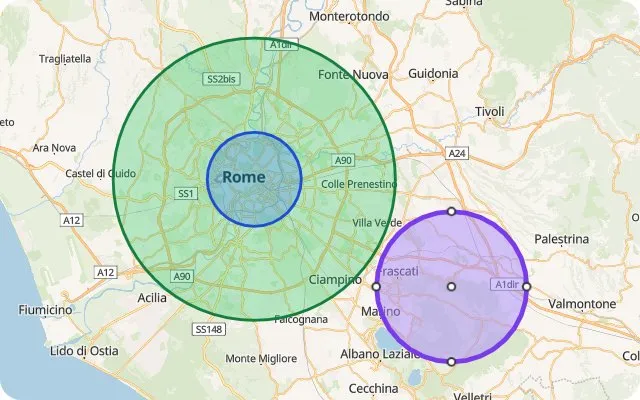 Circles
 in their own colours, with popups; resize the third and see its radius.
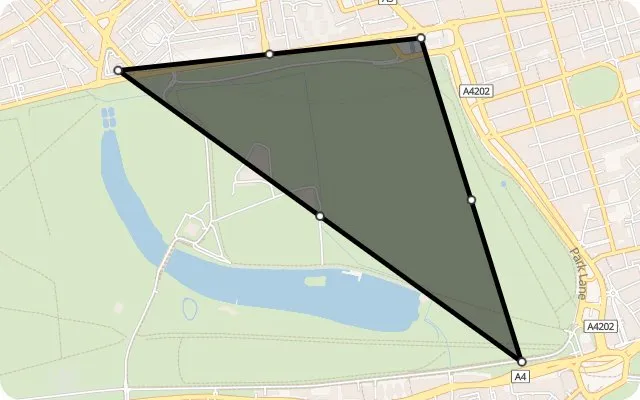 Editable polygon
A polygon to edit: drag a corner, and the edit is written back.
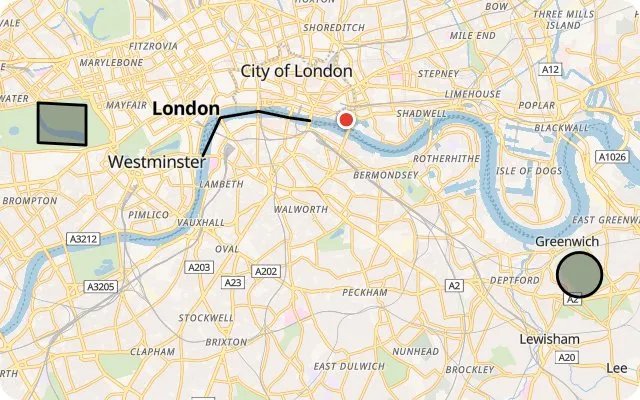 Markers and shapes together
A marker, a circle, an area and a line on one map and in one list.
Map images: © OpenStreetMap contributors, © OpenMapTiles, OpenFreeMap.
Reference
Circles, from the Locations reference
| Field | Type | What | In HTML |
|---|---|---|---|
center |
{ lat, lng } |
Its centre | lat, lng |
radius |
number |
Its radius, in metres | radius |
style |
ShapeStyle |
How it is drawn, over the store’s style |
shape-style (JSON) |
selectedStyle |
ShapeStyle |
Drawn over style while selected |
selected-style (JSON) |
hoveredStyle |
ShapeStyle |
Drawn over style while hovered and not selected |
hovered-style (JSON) |
active |
boolean |
Marks it as the page’s current one: drawn in the hovered look while neither hovered nor selected, not lifted above other shapes | active |
activeStyle |
ShapeStyle |
Drawn over style while active, neither hovered nor selected |
active-style (JSON) |
Polygons, from the Locations reference
| Field | Type | What | In HTML |
|---|---|---|---|
path |
{ lat, lng }[] |
Its outer ring, at least 3 points | |
holes |
{ lat, lng }[][] |
Inner rings, at least 3 points each | |
style |
ShapeStyle |
How it is drawn, over the store’s style |
shape-style (JSON) |
selectedStyle |
ShapeStyle |
Drawn over style while selected |
selected-style (JSON) |
hoveredStyle |
ShapeStyle |
Drawn over style while hovered and not selected |
hovered-style (JSON) |
active |
boolean |
Marks it as the page’s current one: drawn in the hovered look while neither hovered nor selected, not lifted above other shapes | active |
activeStyle |
ShapeStyle |
Drawn over style while active, neither hovered nor selected |
active-style (JSON) |
Styles, from the Locations reference
| Field | Type | What |
|---|---|---|
stroke |
string |
The line’s colour |
strokeOpacity |
number |
The line’s opacity, 0 to 1 |
strokeWidth |
number |
The line’s width |
strokeDash |
"solid" | "dashed" | "dotted" |
How the line runs: unbroken (the default), in dashes 2 widths long with gaps as long, or in dots a width across every 2 widths; on a polyline or a route only, not in the store’s default styles |
fill |
string |
The fill’s colour; not on a polyline |
fillOpacity |
number |
The fill’s opacity, 0 to 1; not on a polyline |